Guides · 6 min read
How to Use an Instax Camera
Loading, the brightness dial, distance, and why prints come out white.
Short answer
Load the pack by matching the yellow marks, and expect a black dark slide to eject first — that is not a wasted photo. On dial bodies, a small lamp shows the light the camera measured: turn the dial to match it, or your prints come out white. Stay between half a metre and three metres, and get closer than feels right, because the flash only reaches a couple of metres.
An Instax gives you one exposure control and no focus ring, which means almost every disappointing print comes from one of four causes. This walks through loading, the brightness setting people misread, the distance that decides sharpness, and how to look at a bad print and know exactly what went wrong
Loading the film
Open the film door on the back. Inside you will see a yellow mark on the camera and a matching yellow mark on the film pack. Line them up, push the pack in flat, close the door.
Turn the camera on. It ejects a black plastic sheet. That is the dark slide, not a wasted photo — it protected the film inside the pack. Every pack has one, and seeing it means you loaded correctly. If nothing comes out, the pack is not seated: open and reseat it.
The counter now reads 10. It counts down. Do not open the door again until it reads 0 — daylight reaching the pack ruins every remaining sheet at once.
Turning it on and off
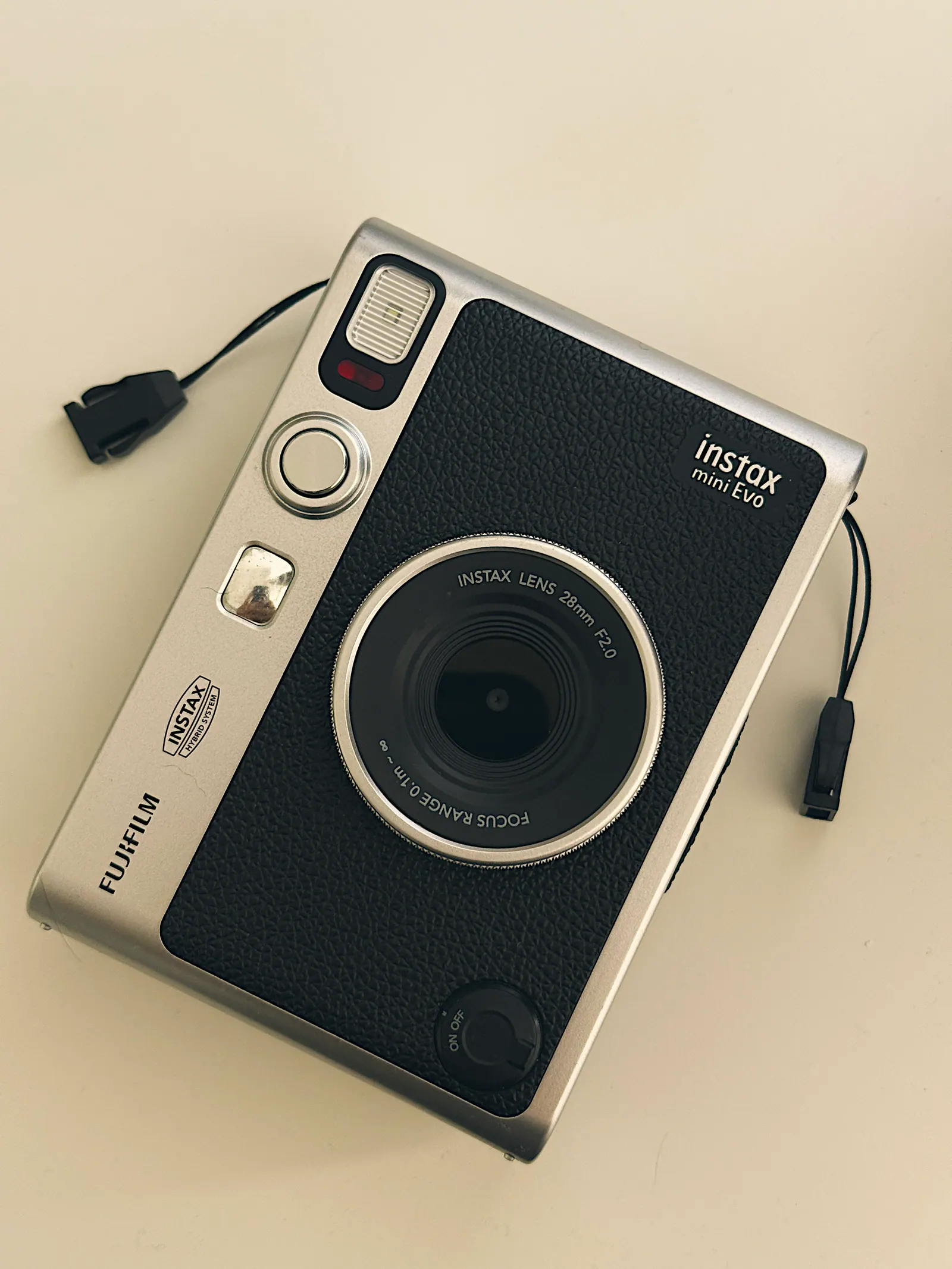
On most current bodies you power on by twisting the lens ring outward until it clicks; the lens extends and the display lights. Twist it back to switch off. Older models use a button beside the lens instead.
The lens must be extended to shoot. If you press the shutter with the lens retracted, ntohing happens — that is not a fault.
Switch it off when you finish. The camera has no real standby, and a body left on with the lens out flattens batteries and risks the extended barrel in a bag.
The brightness setting is the whole camera
An Instax has no aperture ring and no shutter dial. The one exposure control you get is brightness, and how it appears depends on the body.
Automatic bodies (mini 12, mini 11) meter the scene and pick the exposure themselves. There is nothing to set. They also have a close-up mode that engages when you twist the lens one extra click.
Dial bodies (mini 9 and similar) put the choice on you. Turn the camera on and a small lamp lights next to one of the symbols on the dial — house, cloud, sun, bright sun. That lamp is the camera telling you which setting it has measured. Your job is to turn the dial to match it. People miss this and shoot everything on one setting, which is the single most common cause of bad Instax photos.
If the light says sun and the dial says house, the picture will be white.
Distance: why most blurry shots are too close
An Instax lens has a fixed focus zone, roughly from half a metre to three metres on the simpler bodies. Inside that range things are sharp. Outside it they are not, and there is no focus ring to fix it.
Closer than about 50cm is the problem. Food on a table, a pet at your feet, a face at arm’s length — all inside the minimum, all soft. If your camera has a close-up mode, that is what it is for: it shifts the zone nearer, usually to about 30–50cm.
Beyond three metres the lens is still focused but the flash is not reaching, which is a different problem with the same look: a dark photo of a distant blur.
The flash fires every time, and that is correct
On most Instax bodies the flash fires on every frame and cannot be turned off. This looks like a limitation and is mostly a mercy.
ISO 800 film sounds fast, but the lens is slow and the shutter cannot go long without shake. The flash is what makes indoor shots possible at all. It also fills shadows outdoors, which is why an Instax portrait in shade often looks better than the phone shot beside it.
What it cannot do is light a room. Flash reach is a couple of metres. Photograph a group across a restaurant and you get the near half lit and the far half black — not a fault, just physics running out.
The selfie mirror and the distance it implies
The little mirror beside the lens is is not decoration. Hold the camera so your face fills that mirror and you are at roughly the right distance for the close-up zone — about arm’s length.
If you cannot see yourself in it, you are too far or badly angled, and the frame will be off. Trust the mirror over your instinct; the lens sees a wider view than you expect and heads end up small and low.
Diagnosing a bad print
Four failures cover almost everything, and each has one cause.
Completely white or washed out. Overexposed. On a dial body the setting was darker than the light. Outdoors in sun, that means the dial was on house or cloud.
Very dark with a bright subject. Correct exposure, flash-limited. The subject was in range and the background was not. Get closer or change the background.
Soft everywhere. Too close. Step back to a metre, or use close-up mode if you have it.
Pale and blue, developed in winter. Cold. The chemistry stalls below about five degrees. Put the print in an inside pocket for the first two minutes.
Streaks or blotches. Either the rollers are dirty, or the print was shaken. Wipe the rollers with a dry cloth with the door open; stop shaking prints.
Three habits that improve every shot
Get closer than feels right. The lens is wide and the flash is short. Both problems have the same answer.
Put the light behind you. A window behind your subject makes a silhouette that the flash cannot rescue. Turn around and the same scene works.
Take one, not three. Ten shots a pack changes how you shoot, and that is the point of the format. Look first, then press once.
Common questions
Why did my Instax photo come out white?
Overexposure. On a body with a brightness dial, the dial was set darker than the light actually was — the small lamp beside the symbols shows what the camera measured, and you have to turn the dial to match it.
What is the black card my camera ejected?
The dark slide, which protected the film inside the pack. Every pack ejects one first. Seeing it means the film is loaded correctly.
How close can I get with an Instax?
About half a metre on the simpler bodies, or roughly 30–50cm in close-up mode if your camera has one. Closer than the minimum and nothing is sharp, which is the most common cause of blurry prints.
Can I turn the flash off?
On most Instax bodies, no. It is not really a limitation: the lens is slow and the film needs the light. Outdoors it also fills shadows, which is why Instax portraits in shade often look better than they should.
Why are my winter photos pale and blue?
Cold. Development is a chemical reaction and it stalls below about five degrees. Put the print in an inside pocket for the first couple of minutes.
Keep reading
Last updated September 20, 2026