CLASSIC CHROME

Colour · 2014

Classic Chrome

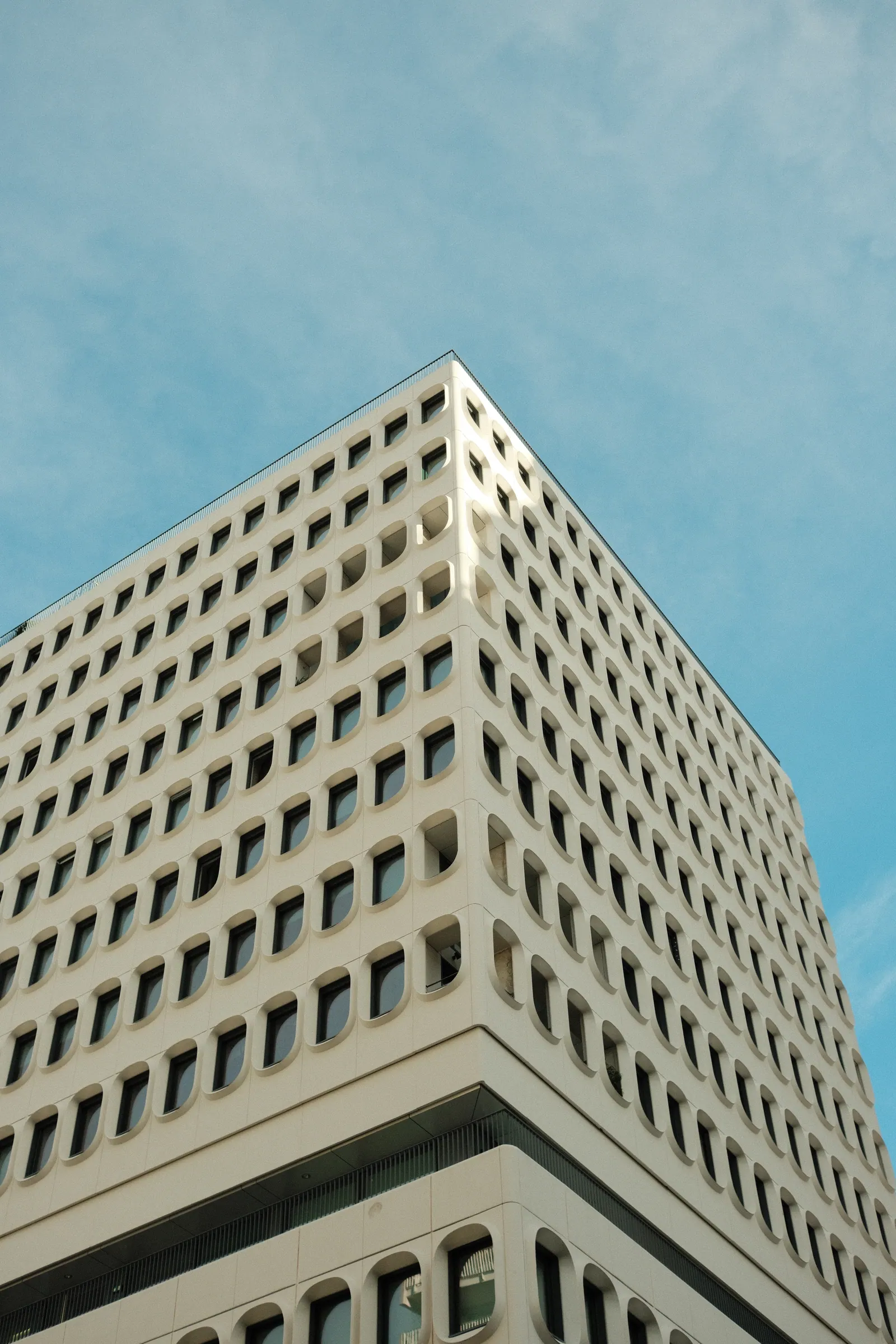
Muted colour, hard shadows, magazine mood.

Short answer

Classic Chrome desaturates colour, shifts it slightly cool and deepens the shadows. The result looks like reportage film from a 1970s magazine. It is the most popular Fujifilm simulation for street, travel and documentary work.

Based on
Documentary slide film of the 1960s and 70s
Type
Colour
Introduced
2014
Cameras with this simulation
44

Classic Chrome arrived in 2014 and quietly changed what people bought Fujifilm cameras for. It is not modelled on a single stock. Fujifilm describes it as the look of documentary slide film, and anyone who grew up with picture magazines recognises it instantly.

What Classic Chrome changes

Three things move together. Saturation drops, especially in reds and yellows, so a red jacket becomes brick rather than fire. Shadows deepen and hold their density instead of lifting. And the whole picture shifts a touch cool, which is why concrete, tarmac and overcast sky look so good in it.

What survives is separation. Colours stay distinct from each other even at low saturation, so a scene never turns to mush. That is the difference between Classic Chrome and simply pulling saturation down.

Classic Chrome or Classic Negative?

They get confused constantly. Classic Chrome is muted and cool with dense shadows — restrained, slightly sad, very good with grey weather and hard architecture.

Classic Negative is louder. It came from consumer print film, so it separates colours aggressively, pushes cyan into the shadows and warms the highlights. Put a red awning in both and Classic Chrome gives you brick, Classic Negative gives you a red that jumps off the frame.

Rule of thumb: grey city, Classic Chrome. Colourful city, Classic Negative.

The settings most people end up using

Straight Classic Chrome can be a little heavy in the shadows. Shadow +1 and Colour +1 is the single most common tweak, and it turns a moody profile into an everyday one.

For overcast streets, add white balance shift R +1 / B −1 to take the edge off the coolness. For strong sun, leave the shift at zero and set Highlight −1.

Add Grain: Weak, Small and Colour Chrome Effect: Strong if your camera has it. Colour Chrome deepens dense colours without raising saturation, which is exactly what this look wants.

Suggested starting settings

Highlight0
Shadow+1
Colour+1
Sharpness0
GrainWeak, Small
White balanceAuto, R +1 / B -1

Common questions

Is Classic Chrome based on Kodachrome?

Fujifilm has never said so. They describe it as the look of documentary slide film in general. The resemblance people notice is real, but it is not an official emulation of any single stock.

Why do my Classic Chrome photos look flat?

Usually because the light was flat too. Classic Chrome does not add contrast, it redistributes it. In dull weather, raise Shadow to +1 or +2 and it comes back to life.

Recipes built on it

Cameras with this simulation

All simulations

Owner reviews

No reviews yet. Be the first to write one.

Write a review

Your rating

Reviews are read before they go live. No email needed.

Last updated August 22, 2026